Digital Signature in Oracle EBS: A Step-by-Step Implementation Walkthrough
A digital signature is a secure electronic method used to sign documents digitally, ensuring the document is authentic, tamper-proof, and legally valid. Here is exactly how it runs inside Oracle E-Business Suite, end to end.
Why Enterprises Are Replacing Manual Signatures
A digital signature guarantees that a document was issued by an authorized source and has not been altered after signing. Organizations are replacing manual, wet-ink signatures with digital signing on statutory documents — invoices, e-way bills, purchase orders — to improve efficiency and meet regulatory and compliance requirements. In Oracle E-Business Suite, this is not a bolt-on tool: it runs as a Concurrent Request Set inside the application, triggered automatically as part of the same request that generates the document.
Where this fits: our Digital Signature Integration with Oracle ERP guide covers the multi-platform architecture (EBS, Fusion Cloud, NetSuite, APEX). This post walks through the actual EBS screens and steps, using a live GST e-invoice signing run as the example.
Benefits of Digital Signature in an ERP
- Authenticity — every signed document carries a cryptographic seal tied to an authorized signatory.
- Tamper-evidence — any edit after signing invalidates the signature, which auditors and tax authorities can verify.
- No manual bottleneck — signing runs as a background concurrent program, not a person printing, signing, and re-scanning.
- Straight-through compliance — signed output is ready for e-invoice, e-way bill, or statutory filing without a separate signing step.
Step-by-Step: Running a Digital Signature Request in EBS
The screens below are from a live demo environment (client-identifying details have been replaced with generic placeholders). The flow is triggered from the standard EBS Requests window using a custom Request Set — XXROSTAN Digital Sign Set — that ROSTAN builds as part of the implementation.
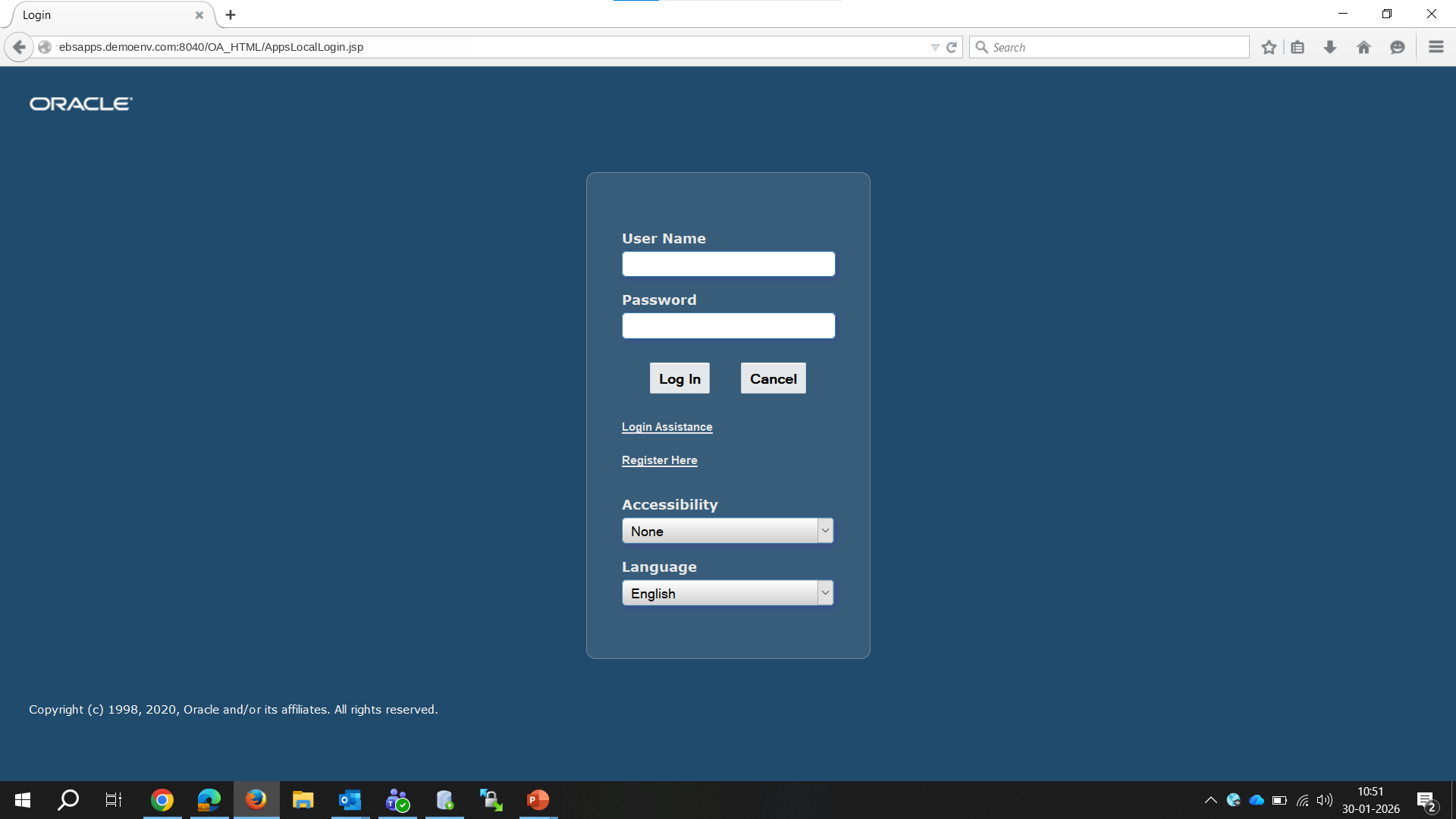
Step 1 — Login with your EBS user.
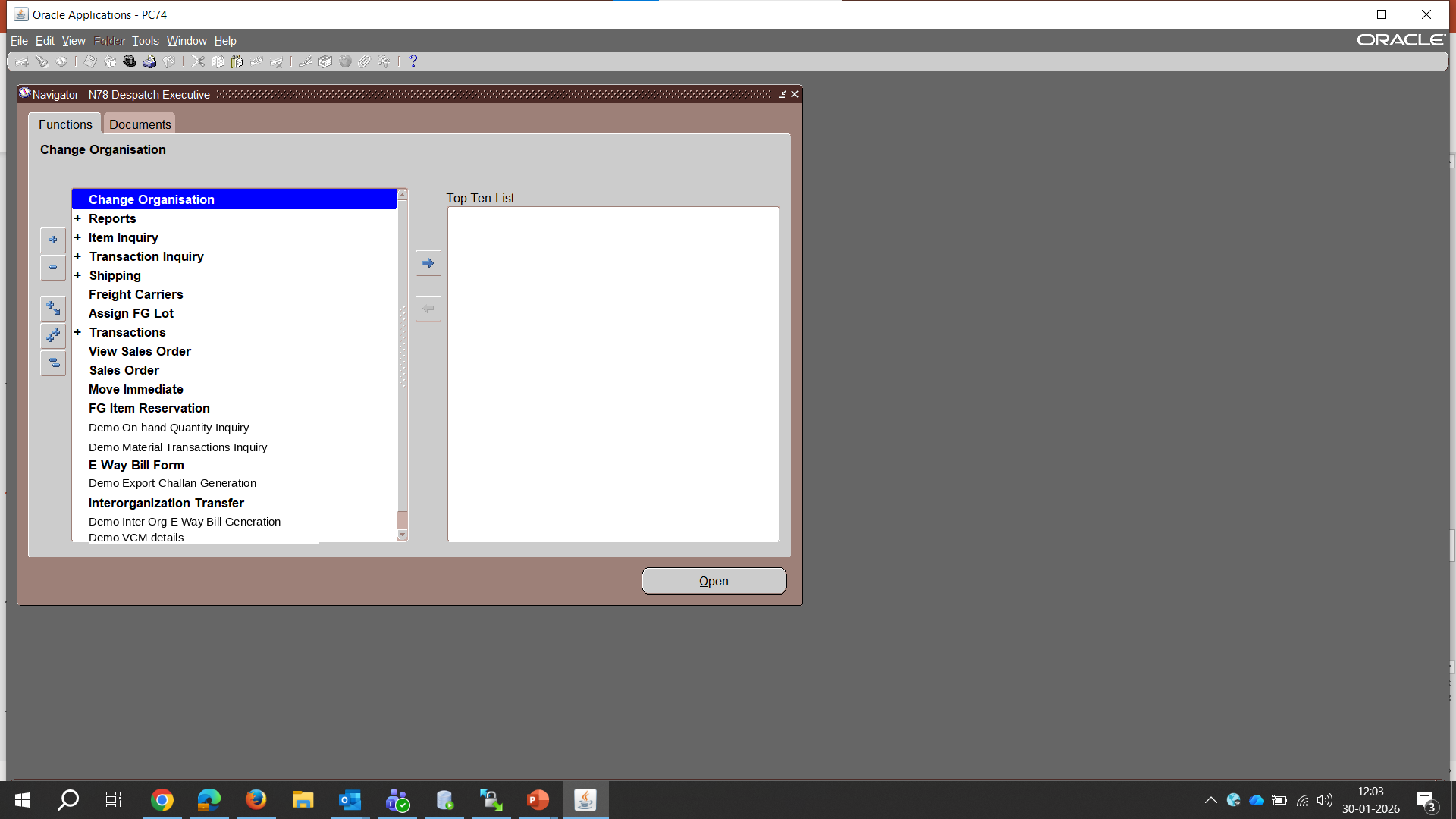
Step 2 — Select the responsibility that owns the signing function (in this example, the Despatch Executive responsibility, which owns the GST e-invoice report). Custom, business-specific functions sit alongside standard EBS menu items in the Navigator.
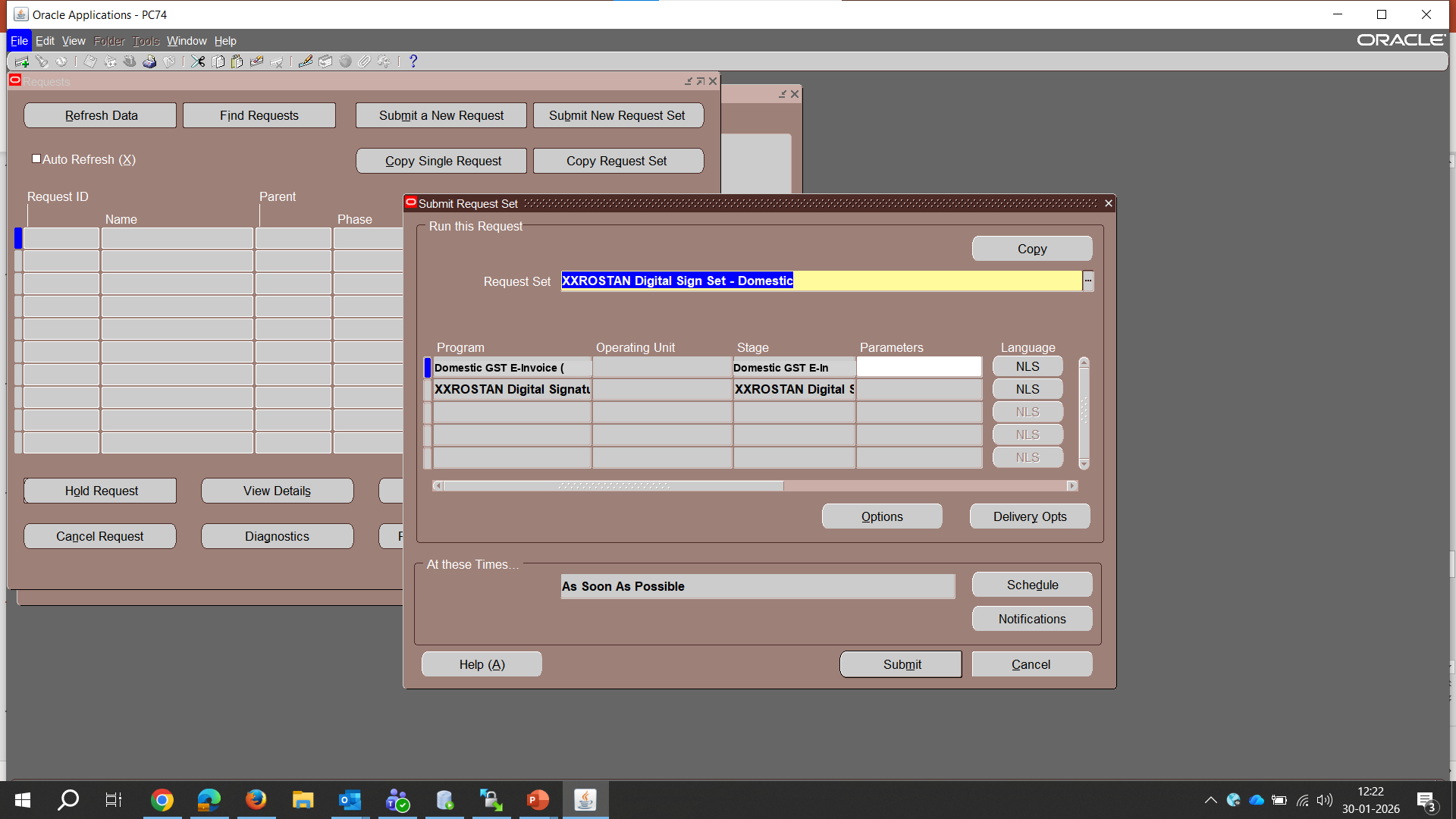
Step 3 — Open Requests → Submit New Request Set. This is the standard EBS Concurrent Requests window; the Request Set is where the source report and the digital-signature program are chained together.
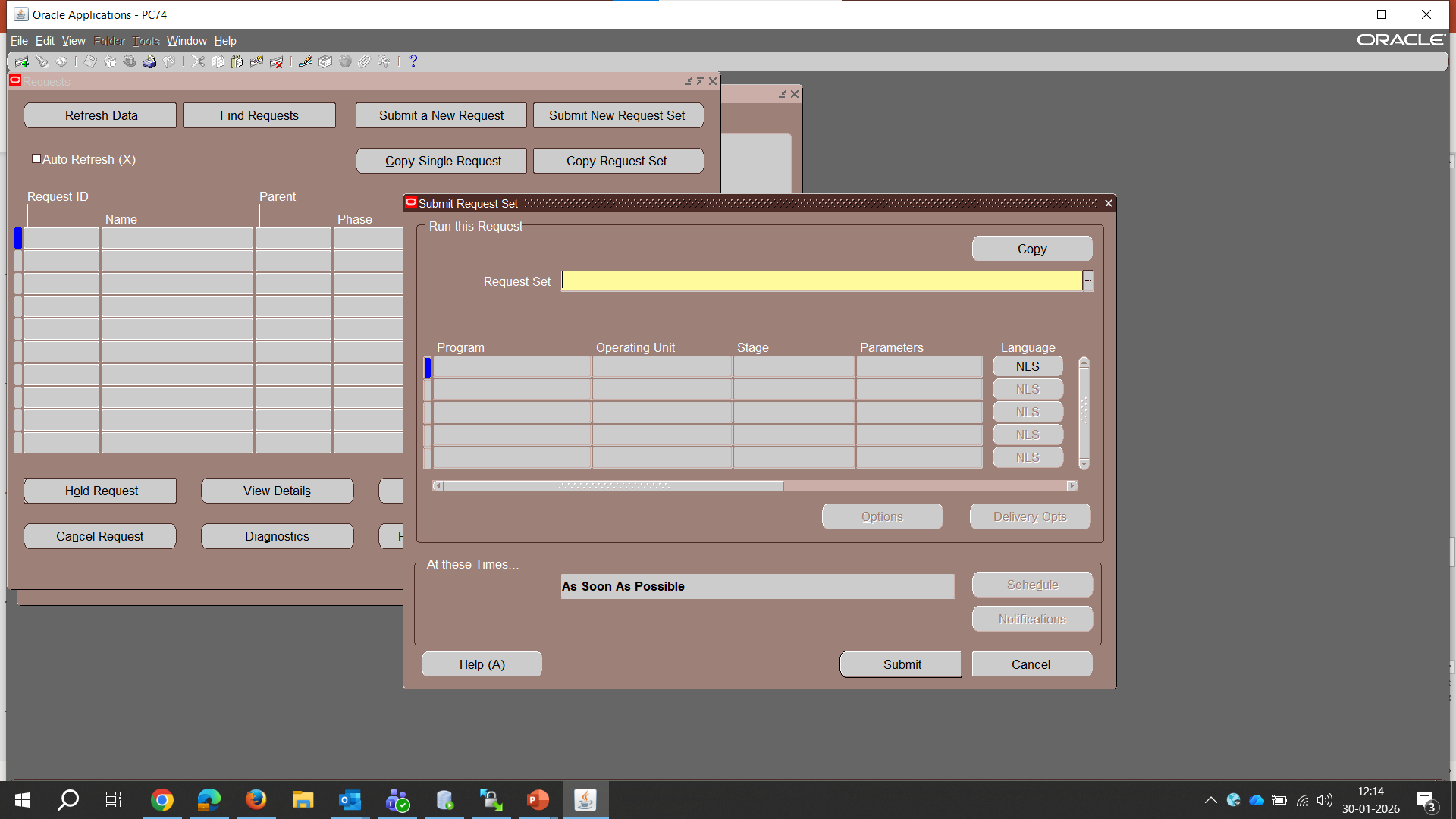
Step 4 — Select the Request Set. XXROSTAN Digital Sign Set - Domestic chains two programs in sequence: the source document report (here, a GST e-invoice report) as Stage 1, and XXROSTAN Digital Signature Host Program as Stage 2, which runs automatically once Stage 1 completes.
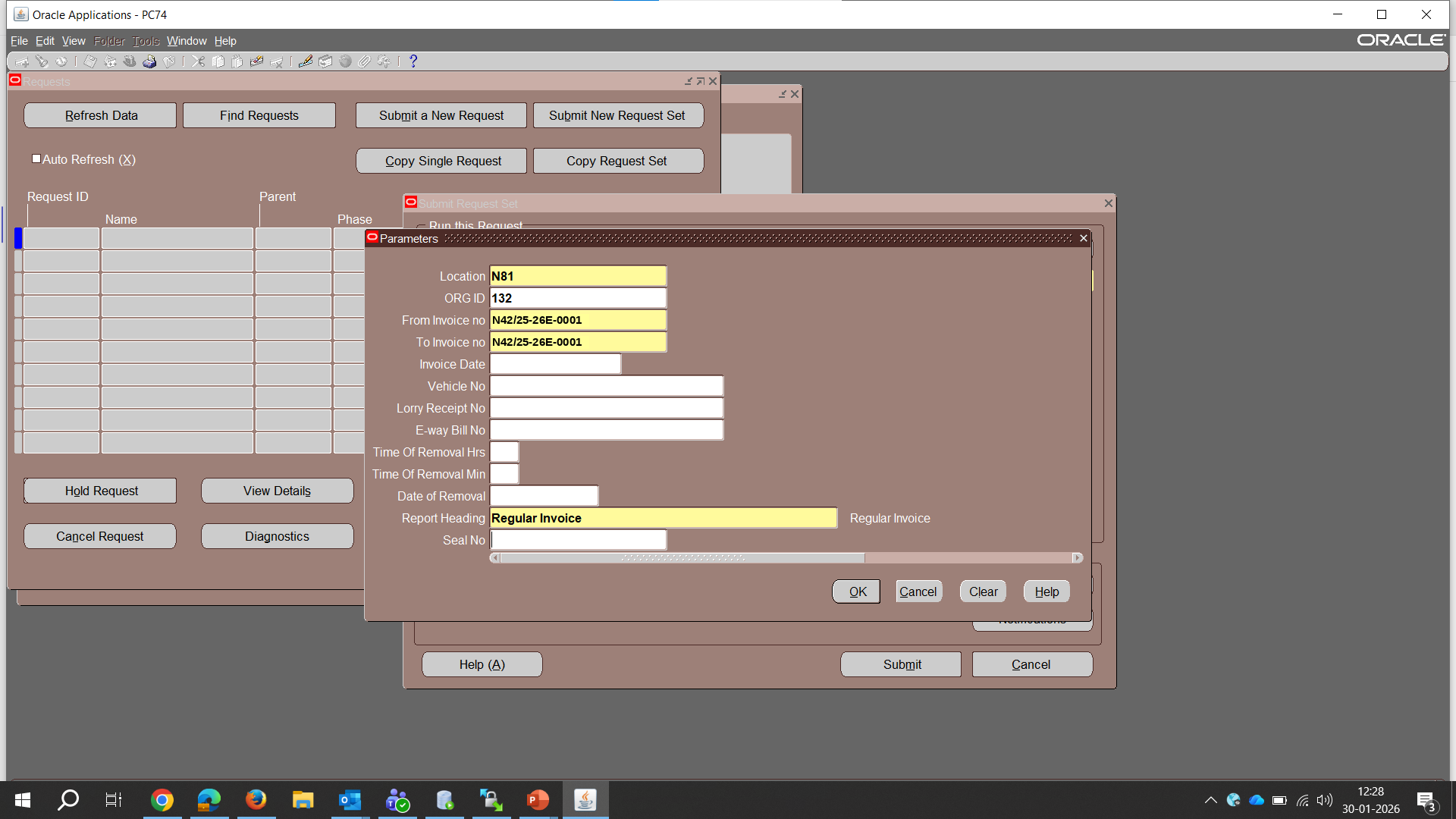
Step 5 — Enter the report parameters — invoice range, location, and report heading — and submit.
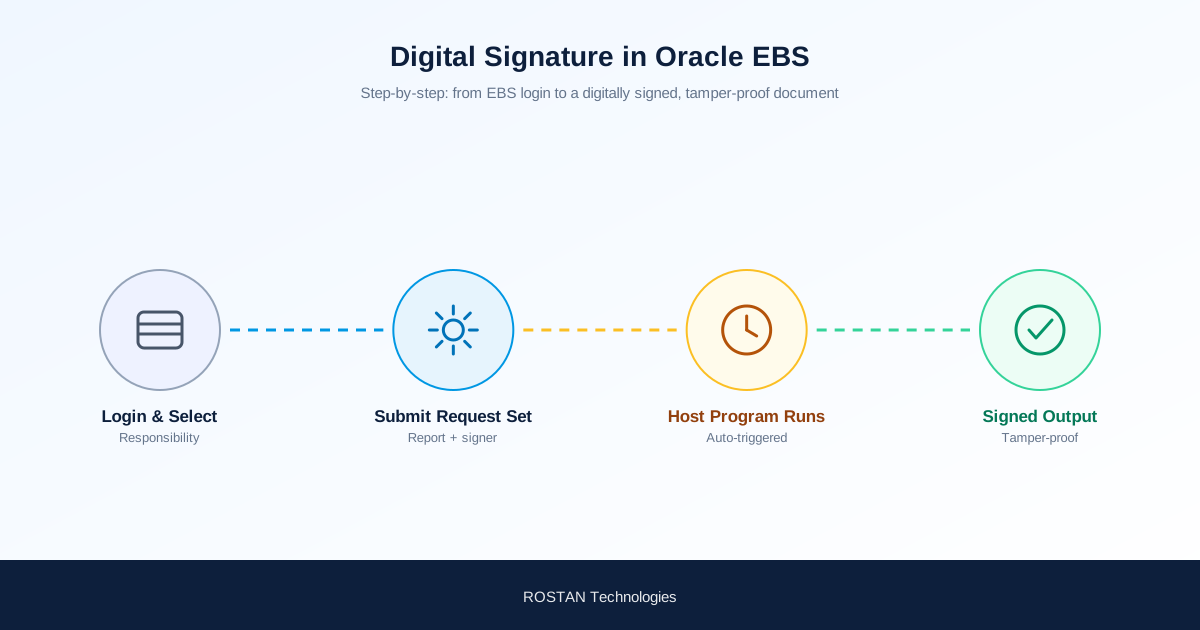
Step 6 — The request set runs. The source report completes first; its completion automatically triggers XXROSTAN Digital Signature Host Program, which fetches the signing certificate and applies the digital signature to the generated document — no manual step in between.
Step 7 — Signed output. The digital signature is applied and visible in the authorized-signatory area of the output, alongside a verification mark confirming the document has not been altered since signing.
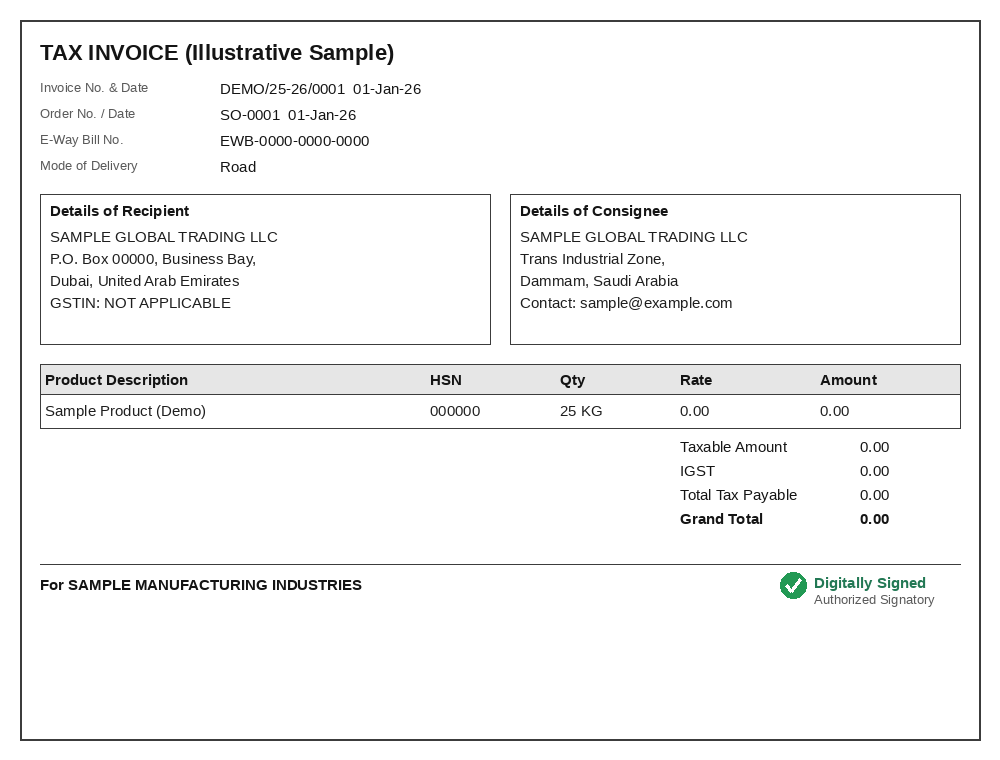
Sample shown with illustrative data for demonstration.
Why Chain It as a Request Set, Not a Standalone Step
Chaining the source report and the signing program into a single EBS Request Set removes the manual handoff that normally breaks compliance timelines: nobody has to remember to run a separate signing job, and nobody can accidentally distribute an unsigned copy. It also means the signing step inherits the same concurrent manager scheduling, retry, and logging that the rest of your EBS batch jobs already use — no separate infrastructure to operate.
| Stage | What Runs |
|---|---|
| 1. Source report | The business document (GST e-invoice, purchase order, statutory report) is generated with its final data. |
| 2. Auto-trigger | Stage 1 completion automatically submits XXROSTAN Digital Signature Host Program — no user action. |
| 3. Certificate fetch | The signing program retrieves the authorized signatory's digital certificate. |
| 4. Signed output | A tamper-evident, digitally signed document is produced and ready for distribution or e-filing. |
How ROSTAN Implements This
As an Oracle Gold Partner, ROSTAN builds the digital-signature Request Set as part of your EBS implementation or as a standalone add-on to an existing environment — no re-implementation required. That includes the custom concurrent program, the certificate integration, and chaining it to the specific reports your business needs signed, whether that is GST e-invoices, e-way bills, purchase orders, or HR documents.
Frequently Asked Questions
Does the digital signature replace the need for a physical wet-ink signature?
Yes, for documents where digital signatures are legally recognized under applicable law (such as India's IT Act, 2000), a properly applied digital signature is legally valid and replaces the need for a manual signature.
Can this be triggered for reports other than GST e-invoices?
Yes. The Request Set pattern is report-agnostic — any EBS concurrent program that generates a document can be chained to the signing program as Stage 1, with the signature applied automatically as Stage 2.
Does the user running the report need to do anything to trigger the signature?
No. Once the Request Set is configured, the user only submits the Request Set as usual. The signing program is triggered automatically on completion of the source report — there is no separate signing action.
What happens if someone edits the document after it is signed?
The digital signature is cryptographically tied to the exact content that was signed. Any modification after signing invalidates the signature, which is detectable on verification — this is what makes the output tamper-evident.
Is this specific to Oracle EBS, or does it work on Oracle Fusion Cloud too?
The Request Set implementation shown here is EBS-specific. ROSTAN Digi Sign also integrates with Oracle Fusion Cloud, NetSuite, and Oracle APEX using platform-appropriate integration points — see our enterprise digital signature guide for the multi-platform architecture.
Conclusion
Digital signature in Oracle EBS does not have to be a manual, offline step bolted onto your document process. Chained into a Request Set, it runs as part of the same batch job that generates the document — automatically, auditable, and tamper-evident. If you are still printing, signing, and scanning statutory documents out of EBS, this is a well-defined, low-risk implementation.
Want digital signing wired into your EBS reports? Talk to ROSTAN about an EBS digital signature implementation.
Signing GST e-invoices specifically? See India GST E-Invoicing: The 30-Day IRN Reporting Rule for what your ERP must enforce before signing and reporting.