Stop Patching Broken Processes: Cutting Costs and Scaling with Cloud ERP and Automation
Every growing business faces a silent problem: old, manual ways of working become a trap. Putting new apps on top of old, bad habits is a guaranteed path to failure — here is the plan that actually works.
The Silent Killer in Your Business
As a business gets bigger, its old, manual ways of working become a silent trap. They slow down teams, cause mistakes, and hide the real health of the company. Growth stalls — not because the market is tough, but because the internal processes are too heavy. Most organizations respond by rushing to "go digital." The honest truth is that putting new software on top of old, broken habits is a guaranteed path to failure.
To stop being stuck and start growing easily, you need a three-part plan: Digital Transformation (the strategy), Business Process Automation (the structure connecting your systems), and Workflow Automation (the tools that make sure every task is done perfectly) — like a high-speed train network where every part works together at the right time.
The Three Stages of Digital Evolution
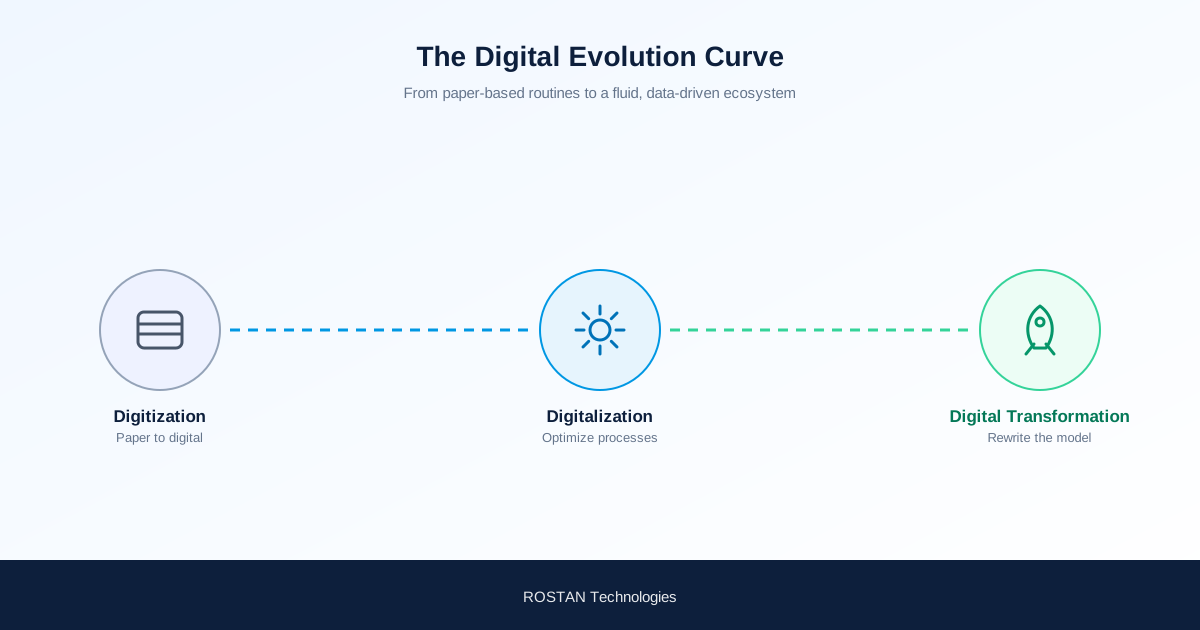
Digital transformation is not a single, overnight event. It is a maturity curve that takes a business from rigid, paper-based routines into a fluid, data-driven ecosystem.

- Stage 1 — Digitization: the baseline phase of converting physical or paper-based information into digital formats, such as scanning legacy paper documents into a centralized digital repository. Digitization changes the medium, but it doesn't change the process.
- Stage 2 — Digitalization: this is where technology begins to alter how business is conducted — leveraging digital tools to optimize existing processes, such as replacing a physical sign-off sheet with an electronic approval system.
- Stage 3 — Digital Transformation: the phase where technology fundamentally rewrites the corporate operating model to maximize value creation — moving beyond fragmented software silos to a unified, automated architecture that adapts fluidly to market demands.
Business Process Automation: The Enterprise Architecture
Sitting at the heart of this evolution is Business Process Automation (BPA). While individual tools tackle isolated tasks, BPA uses technology to automate repeatable, multi-step business operations with minimal human intervention. It is a holistic discipline that integrates directly with broader Business Process Management (BPM), which governs the design, modelling, execution, monitoring, and optimization of organizational resources. By integrating disparate IT systems to streamline workflows, BPA acts as a primary catalyst for digital transformation — lowering operational expenses while maximizing the utilization of human capital.
Why Automation Is a Smart Business Investment
| Advantage | What It Means |
|---|---|
| Cut costs and save time | Automation is cheaper than manual labour, freeing skilled team members from routine tasks to focus on strategy and client relationships. |
| Ensure global consistency | Every process is executed the same way, everywhere, every time — critical for companies with multiple locations. |
| Eliminate errors, simplify audits | Software keeps perfect, unchangeable records, creating a clear audit trail and improving compliance. |
| Improve control, prevent fraud | Full transparency into every transaction strengthens accountability and shuts down opportunities for fraud. |
How to Set Up Business Process Automation: A Simple Plan
- Find things to automate. Look for small, repetitive tasks that take up time from skilled employees — these are your best targets for quick automation wins.
- Map the current process. Write down every step of the existing workflow. Identify every person, input, output, and technical system involved to avoid automating a broken process.
- Build the automation. Turn your process map into a system using your existing software (like NetSuite SuiteFlow), custom integrations, or tools like Zapier to connect different applications.
- Test the system completely. Check how the automation works for your internal team and for external parties. Ensure it handles errors smoothly before launch.
- Continuously optimize and iterate. Automation is an ongoing process — once a workflow is stable, keep looking for new tasks to automate across the company.
Looking Ahead: The Role of Modern Cloud ERP
The rapid growth of the modern Cloud ERP market is driven by this exact need for real-time visibility and scalability. Legacy on-premise platforms lock operational data inside disconnected data silos, making it nearly impossible to gain a comprehensive, cross-departmental view of the business. Cloud ERP platforms dissolve these barriers, allowing organizations to dynamically add users, expand into new markets, and connect external automation stacks via robust APIs. Moving forward, Business Process Automation will lean even more heavily on Analytics, Cloud computing, IoT, and AI to build truly autonomous enterprise architectures.
Frequently Asked Questions
What is the difference between digitization, digitalization, and digital transformation?
Digitization converts physical information into digital format without changing the process. Digitalization uses digital tools to optimize existing processes. Digital transformation fundamentally rewrites the operating model itself to maximize value creation.
What is Business Process Automation (BPA)?
BPA is the use of technology to automate repeatable, multi-step business operations with minimal human intervention. It integrates disparate IT systems to streamline workflows and acts as a primary catalyst for digital transformation.
How is BPA different from Business Process Management (BPM)?
BPM is the broader discipline governing the design, modelling, execution, monitoring, and optimization of organizational processes. BPA is the technology layer that automates the repeatable steps within that broader BPM discipline.
What tools are commonly used to build business process automation?
Organizations typically use their existing ERP automation capabilities (such as NetSuite SuiteFlow), custom system integrations, or connector tools like Zapier to link different applications together into a single automated workflow.
Final Takeaway
Is your current infrastructure built to scale alongside your growth, or is your team spending valuable time manually patching operational cracks that should have been automated years ago?
Ready to move from patched processes to a scalable architecture? Talk to ROSTAN about Cloud ERP and process automation.