Oracle Forms Personalization in Oracle EBS R12: A Complete Guide with a Real-Time Example
When I first started working on Oracle EBS R12, one of the things that confused me the most was Forms Personalization. After working on multiple client requirements, I realized it's one of the most useful features Oracle EBS gives you.
What Is Forms Personalization?
Forms Personalization is a feature provided by Oracle that allows developers to customize the behaviour of standard Oracle Forms. Instead of changing Oracle's source code or writing logic inside CUSTOM.pll, we can define conditions and actions that execute whenever a particular event occurs. This makes customization much easier to maintain and much safer during future Oracle upgrades.
Why Use Forms Personalization?
Imagine your client says: "Don't allow users to click the Void button after the 7th day of payment." There are multiple ways to implement this. One option is modifying CUSTOM.pll, but that increases maintenance and upgrade effort. The better approach is Forms Personalization, because it requires no modification to Oracle standard objects, is easy to migrate between environments, is simple to maintain, is fully supported by Oracle, and is faster to implement. For most UI-level validations and restrictions, Forms Personalization is usually the preferred solution.
How Does It Work?
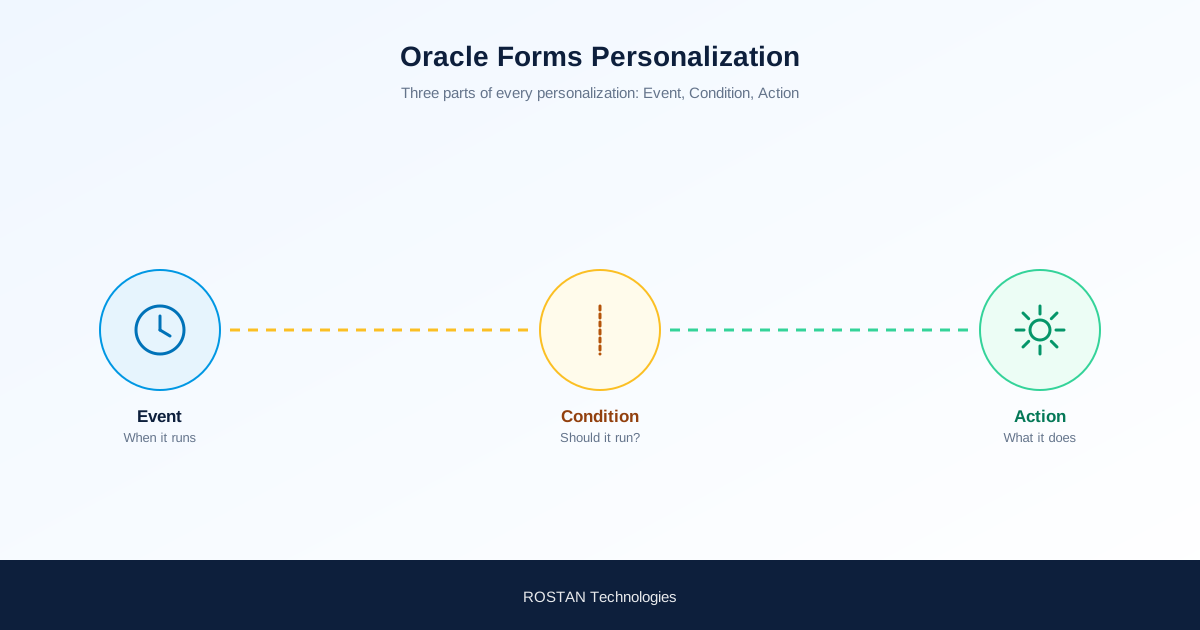
Every personalization consists of three basic parts.

1. Event (When should the logic run?)
Examples include WHEN-NEW-FORM-INSTANCE, WHEN-NEW-ITEM-INSTANCE, WHEN-VALIDATE-ITEM, WHEN-BUTTON-PRESSED, MENU1, and MENU2. The event decides when Oracle should execute your personalization.
2. Condition (Should the logic execute?)
This is simply a Boolean expression, for example: :AP_INVOICES.INVOICE_AMOUNT > 100000. If the condition evaluates to TRUE, Oracle performs the action. If FALSE, nothing happens.
3. Action (What should Oracle do?)
Common actions include Display Error Message, Display Hint, Enable Item, Disable Item, Set Property, Execute Procedure, Builtin, Menu, and Property. This is where the actual business logic is implemented.
Real-Time Project Example
One of the requirements I worked on was related to the Void Payment functionality.
Business requirement: Users were allowed to void payments only within seven days. After the seventh day, the Void option should no longer be available. At first, it looked like a backend validation requirement, but after discussing it with the functional consultant, we decided that hiding the option itself would provide a much better user experience.
| Component | What We Set |
|---|---|
| Trigger Event | MENU1 |
| Condition | Checked whether the payment date was older than seven days. |
| Action | Disabled the Void menu option so the user could not perform the operation. |
The result was simple: users immediately understood that the action was no longer available, and unnecessary validation errors were avoided.
Another Common Example
Suppose your organization wants every Purchase Requisition to have an Approver selected before submission. Instead of allowing the form to proceed and failing later in Workflow, you can validate the value directly from the form — if the Approver field is blank, display an error message. This small validation saves a lot of debugging effort later.
Navigation Path
To create a personalization: Help → Diagnostics → Custom Code → Personalize. Here you can create multiple rules for a single form, and each rule can have its own event, condition, and action.
Important components you'll work with: Sequence, Description, Enabled Flag, Trigger Event, Trigger Object, Condition, Processing Mode, Context, and Actions. Keeping meaningful descriptions and sequence numbers makes future maintenance much easier.
Best Practices
- Always give meaningful descriptions.
- Test every condition carefully before moving to production.
- Avoid writing unnecessary complex conditions.
- Keep business logic simple whenever possible.
- Document every personalization with screenshots and purpose.
- Never create duplicate personalizations for the same functionality.
These small habits save a lot of troubleshooting time later.
Common Mistakes
Whenever a personalization doesn't work, check these five points first before looking for anything more complicated:
- Selecting the wrong Trigger Event
- Writing incorrect block or item names
- Forgetting to enable the personalization
- Using incorrect conditions
- Creating multiple personalizations for the same event
Why Every Oracle Technical Consultant Should Learn This
Whether you're working in Procurement, Payables, Receivables, Fixed Assets, or General Ledger, you'll eventually come across business requirements that need UI-level validations. Learning Forms Personalization not only helps you implement those requirements quickly but also reduces dependency on heavy customizations. In my experience, many client requirements that initially look like development work can actually be solved with a well-designed personalization.
Frequently Asked Questions
What is Oracle Forms Personalization?
It is an Oracle EBS feature that lets developers customize the behaviour of standard Oracle Forms by defining Event, Condition, and Action rules — without modifying Oracle's standard code or CUSTOM.pll.
What are the three parts of a Forms Personalization rule?
Event (when the logic runs, such as WHEN-NEW-FORM-INSTANCE or MENU1), Condition (a Boolean expression that determines whether the action should fire), and Action (what Oracle actually does, such as disabling an item or showing an error message).
Why use Forms Personalization instead of modifying CUSTOM.pll?
Forms Personalization requires no modification to Oracle standard objects, is easier to migrate between environments, is simpler to maintain, is fully supported by Oracle, and is faster to implement — making it upgrade-safe in a way that CUSTOM.pll changes are not.
Where do you create a Forms Personalization in Oracle EBS?
Navigate to Help → Diagnostics → Custom Code → Personalize from within the form you want to customize. Multiple rules can be created for a single form, each with its own event, condition, and action.
Final Thoughts
Forms Personalization is one of those Oracle EBS features that seems difficult when you first encounter it, but once you understand how Events, Conditions, and Actions work together, it becomes an incredibly practical tool. The biggest lesson I learned was that every requirement doesn't need a package, trigger, or CUSTOM.pll modification — sometimes a clean Forms Personalization is all that's needed. If you're beginning your Oracle EBS technical journey, spend time practicing Forms Personalization with real business scenarios. It's one of the skills you'll use repeatedly in almost every Oracle EBS implementation and support project.
Need EBS customizations that stay upgrade-safe? Talk to ROSTAN's Oracle EBS technical team.